Customers create a registry from the side drawer (the Registry button), from the registry page, or from the + Create new registry link in the Add to Registry window. They need to be signed in to their customer account. The wizard has five steps.
1

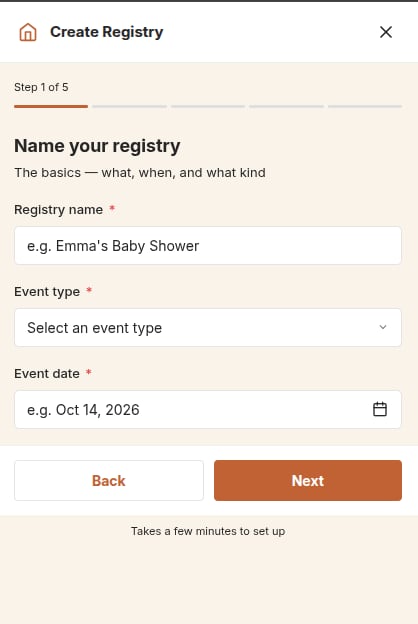
Name your registry

  • Registry name, for example “Emma’s Baby Shower”.
  • Event type, from your list of event types.
  • Event date. It can’t be in the past.
Step 1 of the Create Registry wizard: registry name, event type and event date
If you offer both product and Giving registries, the customer also chooses the Registry type here. It can’t be changed later.
2

About you

  • Your name and Email, filled in from the customer’s account.
  • + Add a co-registrant (optional): a partner’s name and email. Co-registrants also receive the registry’s emails.
3

Add products

The customer searches your products and sets a quantity for each. Before they search, the list shows your Suggested Products Collection (set in the app embed settings).They can choose Skip for now and add products later.
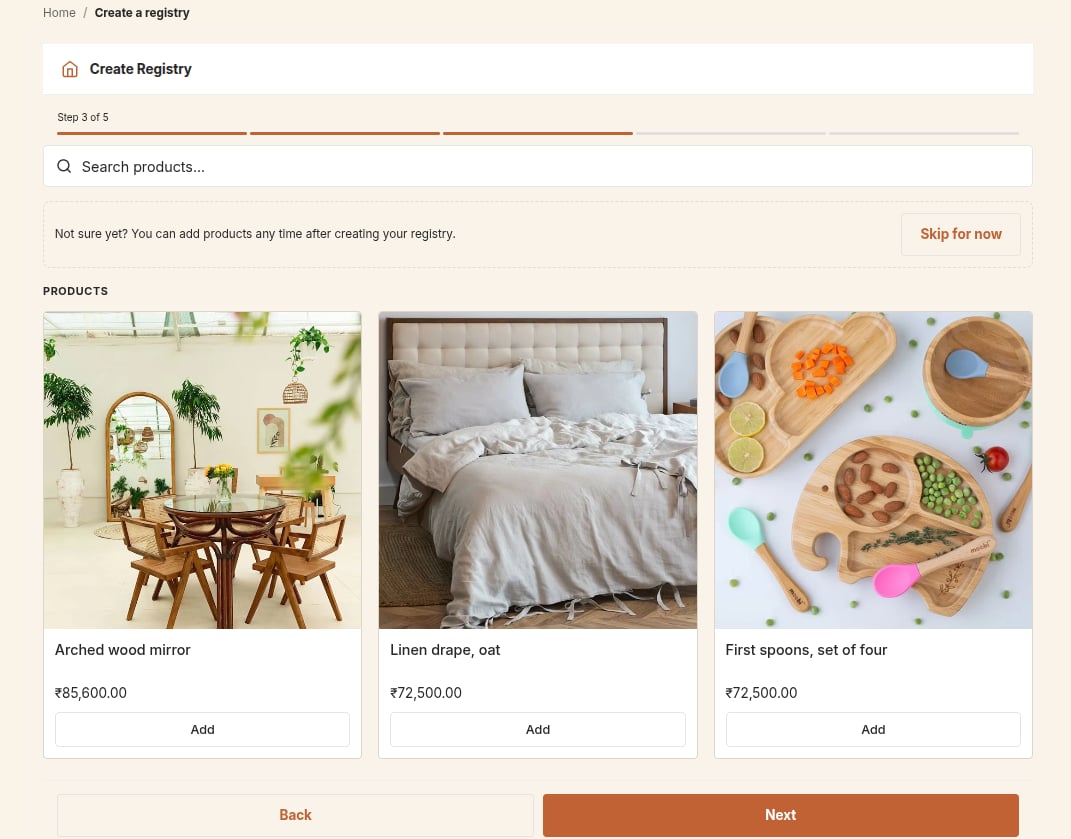
Step 3 of the Create Registry wizard with product search and Add buttons
4

Personalize

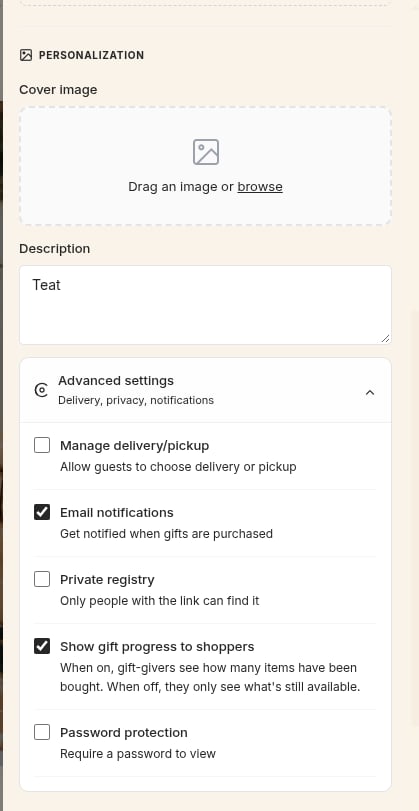
  • Cover image: JPG, PNG or GIF, up to 5 MB. It is stored in your store’s Content → Files.
  • Description for guests.
  • Advanced settings: delivery or pickup, email notifications, private registry, gift progress and password protection. See below.
5

Your registry is ready!

The customer can share the registry, browse products or open it.
If a customer leaves halfway, their progress is saved on that device and offered back as 1 registry incomplete · Tap to continue.

Advanced settings

The Personalize step with cover image, description and the Advanced settings options
You decide which of these options customers see, in Settings → General settings → Registry Creation Options. See Privacy and passwords for more.

Limits

Your plan sets how many registries your store can have and how many items fit in each registry. See Plans. When the item limit is reached, the customer sees “You have reached the limit of N items per registry for your plan.”