
- General settings;
- Storefront text;
- Integrations & Theme, where you can open the theme editor and set the product card icon;
- Event Types;
- Email branding;
- Customer Notifications and Admin Notifications (see Email notifications).
Store Setup
App Status shows whether the app embed is on. App is Enabled means customers can use registries. Registry types: Offer Product registries is on by default. If you turn it off, product registries and the Add to Registry buttons are hidden from your storefront and no new ones can be created. Nothing is deleted. You can only turn it off while Giving registries are available.Hero Banner
The title, subtitle, alignment and image at the top of the side drawer and the registry page. See Customize the appearance. Professional plan and higher.Registry Preferences
Require unique registry names: when on, two active registries can’t have the same name. This helps guests tell registries apart in search. Existing registries are left as they are.Date format
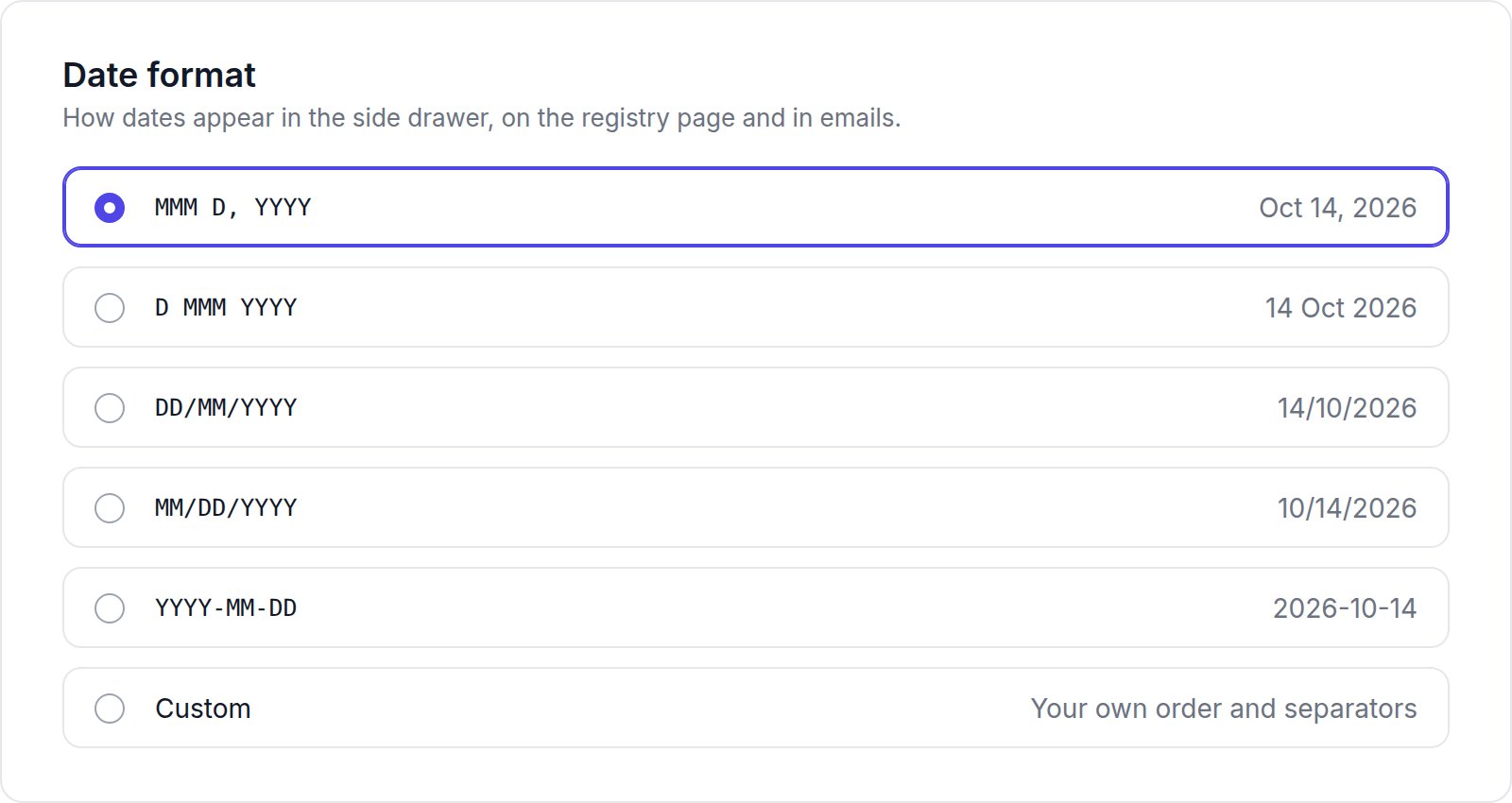
For Custom, combine
D or DD (day), M, MM, MMM (Oct) or MMMM (October) (month), and YYYY (year), separated by a space or . , / -. For example, D. MMMM YYYY shows “14. October 2026”. A preview appears under the field.
Registry Creation Options
These options appear under Advanced settings when a customer creates or edits a registry. Turn one off to remove it from the side drawer and the registry page. All are on by default.
Registries created earlier keep the options they already saved.